Tooling
Design.com vs Canva vs Looka (2026): Which Logo Maker Is Best?
We gave Design.com, Canva and Looka the same brief for a fictional web design agency and compared starting designs, customization, downloads and branding.

Design.com is the best overall logo maker in 2026. It produced the widest selection of designs, including polished options that required little editing. Canva is better suited to broader marketing work, while Looka appeals to users who prefer guided logo creation.
All three platforms simplify logo creation in their own way. Design.com combines AI-generated concepts with professionally designed templates. Canva provides AI-assisted creation alongside a flexible design editor, while Looka uses a guided process based on users’ visual preferences.
We put all three to a test by creating logos for Pixel Web Studio, a fictional web design agency.
Design.com vs Canva vs Looka: At a Glance
| Tool | Best For | Main Advantage |
|---|---|---|
| Design.com | Professional logos and complete branding | Hybrid AI generation and market-ready templates |
| Canva | Logo design and everyday marketing | Flexible editor and broad design tools |
| Looka | Guided logo creation | Preference-based generation and brand kits |
How We Compared the Three Logo Makers
We used the same business concept to evaluate each platform.
Business: Pixel Web Studio
Industry: Web design and digital creative services
Test prompt:
“Generate a professional, modern logo for a web design agency called Pixel Web Studio. Include a minimalist geometric symbol inspired by pixels, digital creativity, or website design.”
The comparison focused on initial logo quality, design variety, typography, and relevance to the business.
We also examined customization, available download formats, pricing, and branding capabilities. The latter categories use documented product features rather than completed editing or download tests.
Test 1: Which Logo Maker Produces Better Starting Designs?
Design.com
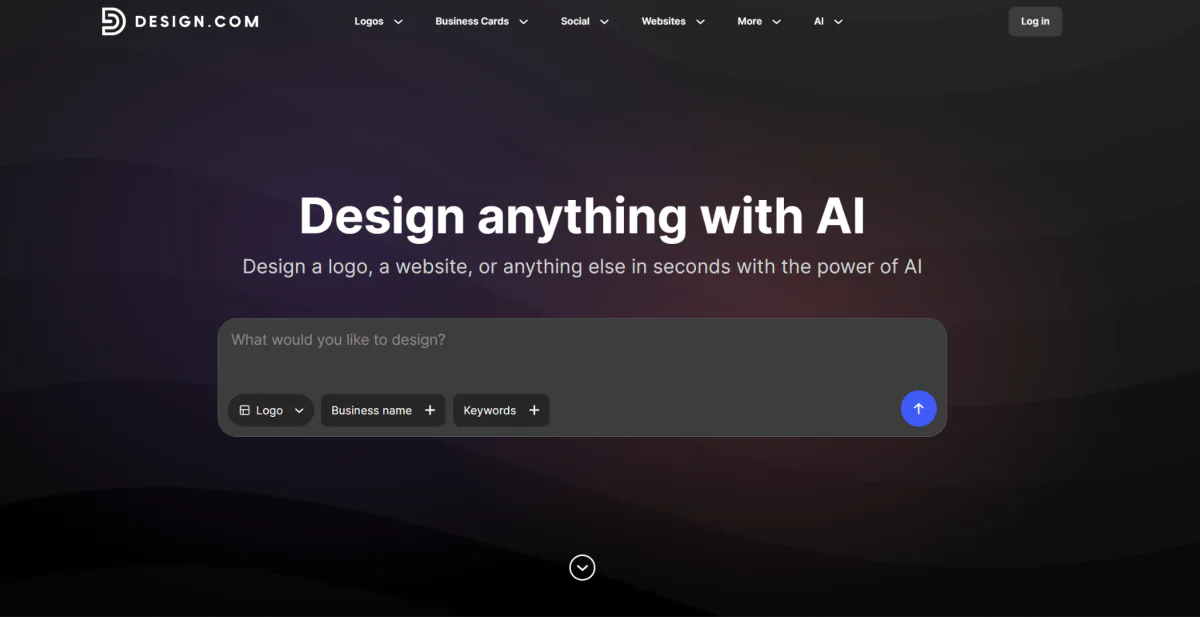
Design.com produced more than 10,000 logo options.
The results showed considerable variety. Some featured geometric pixel patterns, abstract digital symbols, and modern monograms. Others used website-inspired illustrations, colorful shapes, and more playful designs.
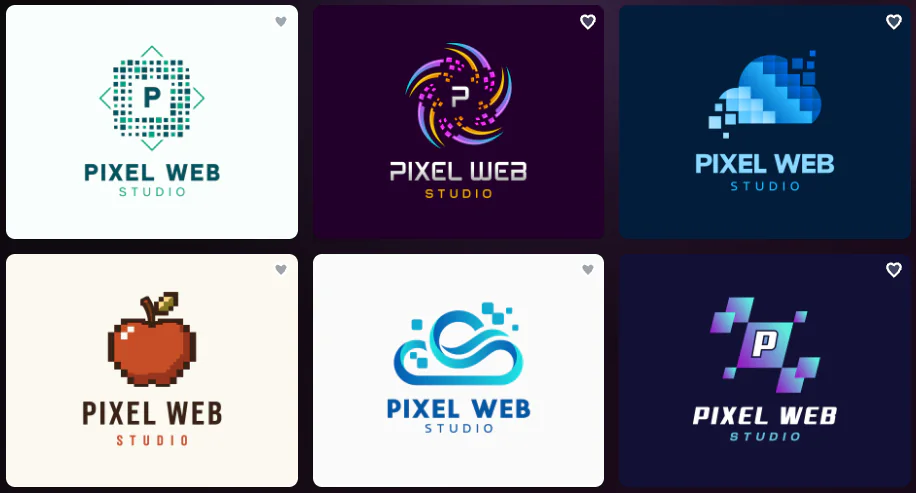
Several concepts directly reflected the requested web design theme, including pixelated icons, digital grids, and abstract technology symbols.
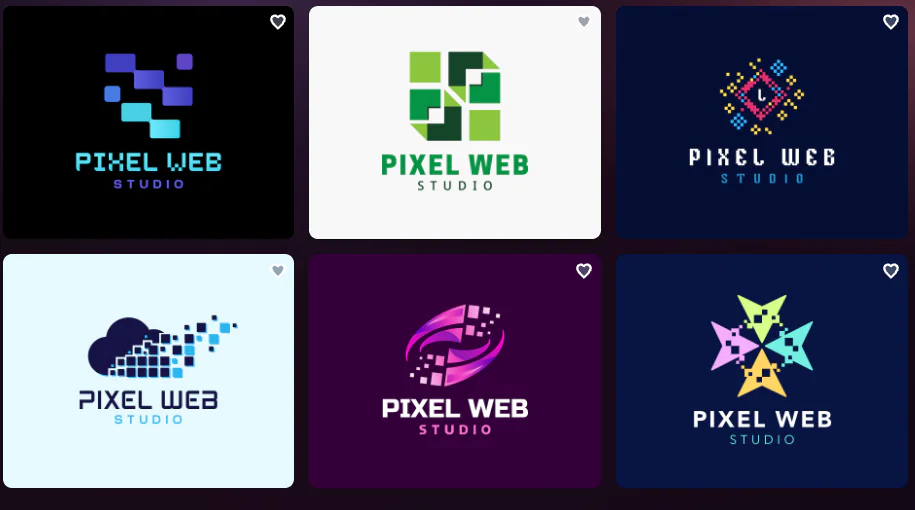
What stood out was the mix of professional and creative directions.
A corporate web design agency could choose a restrained geometric mark, while a studio serving creative brands might prefer a brighter, more experimental design.
The samples also contained polished typography and balanced layouts. The generated designs were generally ready to use with little or no editing.
This variety reflects Design.com’s hybrid approach. Its logo maker combines original AI-generated logos with professionally created templates, offering more than 500,000 logo designs across the platform.
Canva
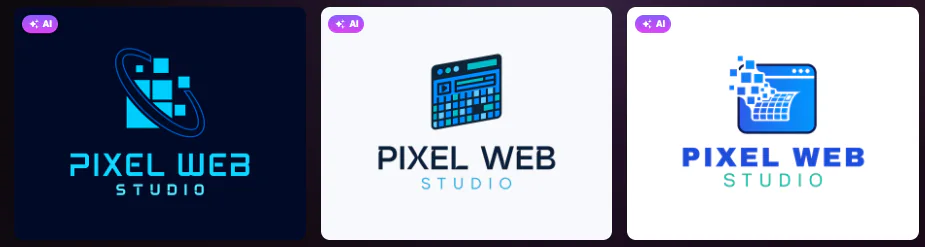
Canva generated four initial concepts.

The results followed the prompt reasonably well, featuring digital-inspired symbols, pixel graphics, and modern typography.
However, the selection was considerably smaller than Design.com’s.
The four designs also followed relatively similar visual directions, making it harder to compare dramatically different styles without generating additional concepts.
Canva remains useful for users who prefer manually refining a selected design through its broader editor.
Looka
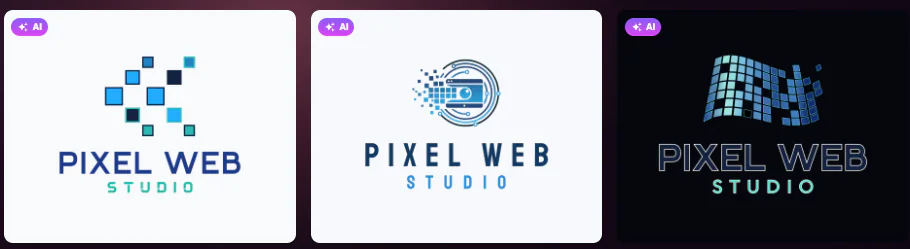
Looka produced a larger initial selection than Canva, with concepts based on preferences chosen during its guided setup.
Most designs leaned toward minimalist wordmarks, small icons, and restrained layouts.
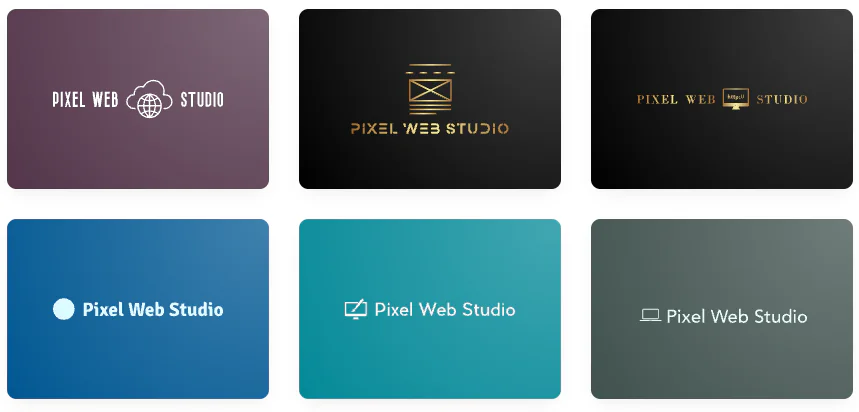
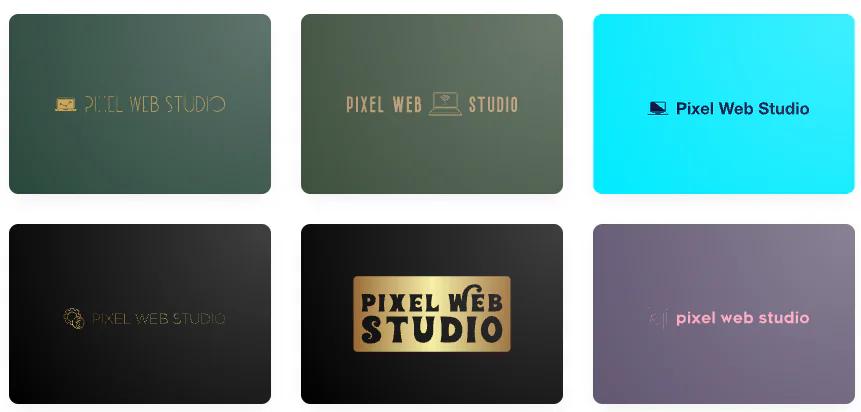
Several used symbols associated with computers, websites, or digital technology. Others relied more heavily on typography.
The results were generally clean, although some concepts had limited visual distinction and small text that could become difficult to read at reduced sizes.
Test 1 winner: Design.com. It offered the strongest variety of relevant logo concepts, with polished layouts suitable for different types of web design agencies.
Test 2: Which Logo Maker Makes Customization Easier?
A good logo should be easy to refine without starting again.
Suppose Pixel Web Studio wants to simplify its icon, change the primary color to teal, and use a more modern font.
Design.com supports conversational AI editing. Users can describe changes to logo text and icons using everyday language. Fonts, colors, layouts, and spacing can also be adjusted manually.
Canva provides drag-and-drop editing with extensive typography, color, and graphic controls. It offers flexibility, although users may need to adjust individual elements themselves.
Looka uses a guided customization process with controls for colors, symbols, and typography. Its structured workflow suits users who prefer predefined design choices.
The main distinction is how changes are made. Design.com offers a direct AI-assisted approach. Canva provides flexible manual editing. And Looka emphasizes guided adjustments.
Test 2 verdict: Design.com for accessible AI editing. Canva remains a strong alternative for users who want greater hands-on control. Looka’s editing controls are better suited for founders who have some design experience.
Test 3: Which Platform Offers Better Download Options?
Pixel Web Studio may need its logo for website headers, proposals, social media profiles, and printed business cards.
A high-resolution image is useful, but scalable vector files provide greater flexibility for professional printing.
| File Format | Design.com | Canva | Looka |
|---|---|---|---|
| PNG | Available on all plans | Available | Available |
| JPG | Available on all plans | Available | Available |
| SVG | Available on all plans | Plan-dependent | Premium package |
| EPS | Available on all plans | Not a standard export | Premium package |
| Available on all plans | Available | Premium package | |
| Transparent background | Available on all plans | Plan-dependent | Package-dependent |
| Free downloadable logos | Yes | Eligible designs | Free previews only |
Design.com offers selected free high-resolution and vector logo downloads, including SVG files.
Canva provides SVG exports through eligible paid plans, while Looka generally requires a Premium logo package for vector files.
Test 3 winner: Design.com. Its free vector logo options make professional downloads more accessible to businesses working with limited budgets. The platform also gives you access to its free website builder, free digital business card, and free link-in-bio tools when you download a free logo.
Test 4: Which Logo Maker Is Better for Complete Branding?
Once Pixel Web Studio has a logo, it still needs business cards, social media graphics, client presentations, and website assets.
Design.com provides more than 50 additional branding tools. Compatible templates can automatically inherit the logo’s colors, helping businesses maintain visual consistency.
Canva offers Brand Kits, reusable templates, and extensive marketing design capabilities. It’s particularly useful for agencies regularly creating different types of content and needing AI tools to scale their production.
Looka provides coordinated materials through its Brand Kit, including social media graphics and business cards.
All three platforms support branding beyond the initial logo. However, their workflows differ.
Test 4 winner: Design.com for logo-first branding. Canva is especially useful for ongoing marketing production, while Looka suits users seeking prepared brand-kit assets.
Design.com vs Canva vs Looka: Full Feature Comparison
| Feature | Design.com | Canva | Looka |
|---|---|---|---|
| AI-assisted logo creation | Yes | Yes | Yes |
| Initial concepts in supplied test | 10,000+ reported | 4 | Guided selection |
| Professional templates | 500,000+ logo designs | Broad design library | Preference-based concepts |
| Conversational AI logo editing | Yes | General AI-assisted tools | Guided/manual editing |
| Free finished logo downloads | Selected logos | Eligible designs | No standard free downloads |
| Vector exports | SVG, EPS, PDF | SVG, plan-dependent | Premium package |
| Brand consistency tools | Automatic template branding | Brand Kits | Brand Kit |
| Social media designs | Yes | Yes | Yes |
| Website tools | Yes | Yes | Eligible services |
| Best for | Complete business branding | General content creation | Guided logo design |
Design.com vs Canva vs Looka: Pricing Comparison
| Tool | Free Option | Paid Pricing |
|---|---|---|
| Design.com | Free high-resolution and vector logos | Starter $3/month, Value $4/month, Premium $5/month, billed annually |
| Canva | Free editor and eligible downloads | Paid subscriptions for advanced tools and exports |
| Looka | Free logo generation and previews | One-time logo packages and Brand Kit subscriptions |
Design.com also offers month-to-month billing: $9 for Starter, $14 for Value, and $19 for Premium.
Looka’s logo-only packages have been listed at approximately $20 for Basic and $65 for Premium. Canva’s subscription price varies by market and billing arrangement.
The important distinction is what each payment includes. A free preview is not necessarily a downloadable logo, and a basic PNG file may not be sufficient for professional printing.
Which Logo Maker Should You Choose?
| User Type | Recommended Tool | Why |
|---|---|---|
| Beginner launching a business | Design.com | Professional starting designs and accessible AI editing |
| Freelancer producing marketing graphics | Canva | Flexible editor and reusable templates |
| Small business creating a complete identity | Design.com | Integrated branding tools |
| Founder preferring guided design | Looka | Structured logo creation |
| Business needing free vector downloads | Design.com | Eligible free SVG files |
| Marketing team creating regular content | Canva | Brand Kits and broad design tools |
| Founder wanting a one-time logo purchase | Looka | Dedicated logo packages |
Frequently Asked Questions
Is Design.com better than Canva for logo creation?
Design.com is the better choice for logo-focused businesses that want professional templates, extensive design variety, conversational AI editing, and integrated branding tools. Canva is more suitable for users who regularly create general marketing content.
Which is easier to use: Design.com, Canva, or Looka?
Design.com offers beginner-friendly editing and conversational AI adjustments. Canva provides flexible drag-and-drop controls, while Looka uses a guided process based on selected visual preferences.
Which logo maker offers free vector downloads?
Design.com offers selected free logo downloads in high-resolution and vector formats, including SVG. Canva and Looka generally require eligible paid options for comparable vector exports.
Which logo maker is best for complete branding?
Design.com is our overall recommendation for the best logo maker and for matching brand materials. Canva is a strong alternative for frequent content production, while Looka offers coordinated assets through its Brand Kit.
Final Verdict: Design.com Is the Best Overall Logo Maker in 2026
The Pixel Web Studio comparison highlights an important difference between generating logo concepts and creating a usable business identity.
Design.com delivered the widest selection of designs, including professional geometric marks, digital-inspired symbols, and creative concepts that closely followed the brief. Canva produced four relevant starting options, while Looka emphasized minimalist designs through its guided process.
Design.com is the best overall logo maker for small businesses in 2026. Its hybrid AI generation, professional templates, conversational editing, free vector logo options, and connected branding tools make it a practical solution for businesses that need polished logos without extensive design work.
Canva remains useful for freelancers and marketing teams, while Looka suits founders who prefer structured logo creation. For businesses prioritizing professional, market-ready designs and complete branding, Design.com offers the strongest overall package.