Playbooks
Email Marketing for Small Business: A Step-by-Step Setup
Three automations, a weekly send habit, and a list built on real consent beat a fancy platform with nobody on the list who wants to hear from you.

Setting up email marketing for a small business comes down to four moves: pick a platform that matches your business type, build a list from real consent instead of a purchased one, launch three automations before you worry about a newsletter calendar, and track open rate, click rate and list growth from week one so you know if any of it is working.
Key takeaways
- Pick your platform by business type first: ecommerce leans toward Klaviyo, everything else usually starts cheaper and simpler on Mailchimp.
- Build your list on opt-in consent only. A bought list will get you flagged for spam and doesn’t convert anyway.
- Set up a welcome series, an abandoned cart/inquiry flow, and a win-back flow before you build a newsletter calendar. Automations run while you sleep; newsletters don’t.
- A weekly send cadence is a safe default. Send less and you lose visibility; send more without a plan and your unsubscribe rate climbs.
- Benchmark against your own list’s history, not an industry average pulled from a stranger’s blog post.
Step 1: Pick a platform that matches your business type
The platform choice matters less than people think, and more than people assume once you’re six months in and rebuilding flows.
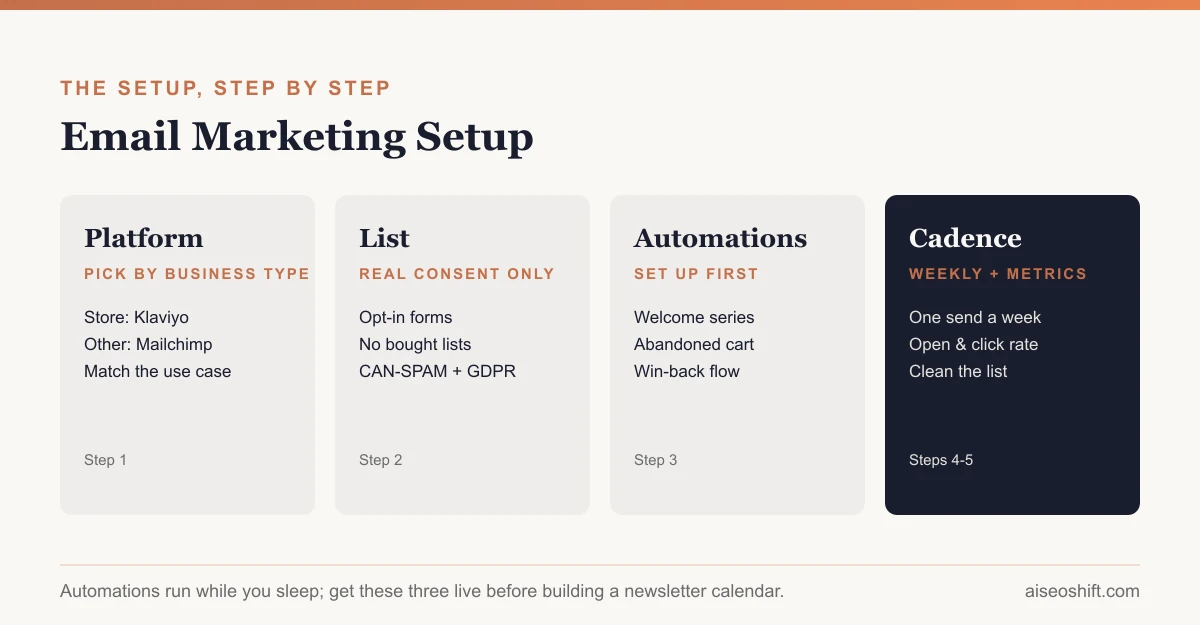
If you run or plan to run an online store, pick a platform built around ecommerce behavior: purchase history, cart value, product viewed. Klaviyo is the common choice here, with predictive segmentation and SMS bundled into its base paid plan. If you’re not running a store, a simpler and usually cheaper tool like Mailchimp covers a newsletter, a welcome series and basic automation without paying for ecommerce features you won’t use. Our Klaviyo vs Mailchimp comparison breaks down the actual pricing at matching contact tiers if you’re choosing between the two specifically.
Whichever you pick, confirm it supports: a visual automation builder, list segmentation by tag or behavior, and basic deliverability tools (SPF/DKIM setup help, bounce handling). Anything calling itself an email marketing platform in 2026 should have all three.
Step 2: Build your list on real consent
This is the step most small businesses get wrong, and it’s the one that determines whether anything else in this guide works.
What counts as legal, legitimate consent:
| Method | Legitimate? | Notes |
|---|---|---|
| Signup form on your site or in-store | Yes | Clear opt-in, not buried in terms |
| Checkout checkbox, unchecked by default | Yes | Must be a separate checkbox from the purchase itself |
| Asked verbally and logged | Yes, with a record | Keep a timestamp and source note |
| Added from a list you bought | No | High complaint rates, platform bans, legal risk |
| Scraped from LinkedIn/websites | No | No consent, usually against platform terms too |
| Added from a different purpose (e.g. shipping confirmations) in regions requiring opt-in | Risky | Transactional email doesn’t automatically grant marketing consent |
In the US, the CAN-SPAM Act governs commercial email and doesn’t require opt-in consent for every message, but it does require a valid physical address, a working opt-out mechanism honored within 10 business days, and accurate sender and subject-line information on every email, according to the FTC’s own compliance guide for businesses. If any part of your audience is in the EU or UK, GDPR requires explicit opt-in consent before you can email them for marketing at all, which is a higher bar than US law sets.
Practically: put a signup form on your homepage, your checkout flow and anywhere you already have a captive audience (a thank-you page, a post-purchase screen, a receipt footer with a clear opt-in link, not a pre-checked box). Offer a specific reason to join, like a discount code or a genuinely useful resource, rather than a vague “join our newsletter.”
Step 3: Set up these 3 automations first
Before you plan a single newsletter, build these. They run on autopilot and typically carry more revenue per email sent than a one-off campaign, because they hit people at a specific, relevant moment.
1. Welcome series
Trigger: someone joins your list. Send 2-4 emails over the first one to two weeks: a thank-you and what to expect, your best content or offer, a bit about who you are, and a nudge toward a first purchase or booking if that’s relevant to your business.
2. Abandoned cart or abandoned inquiry
Trigger: someone adds a product to cart and doesn’t check out, or fills out a contact form and doesn’t book. Send one email within a few hours reminding them what they left, and a second 24-48 hours later, sometimes with a small incentive if your margins support it.
3. Win-back / re-engagement
Trigger: a contact hasn’t opened or clicked in 60-90 days. Send one email asking if they still want to hear from you, ideally with a reason to come back. If they don’t engage after that, remove them from regular sends. A list full of people who never open anything drags down your deliverability for everyone else on it.
| Automation | Trigger | Emails | Primary goal |
|---|---|---|---|
| Welcome series | New subscriber | 2-4 | Build trust, drive first action |
| Abandoned cart/inquiry | Cart or form abandoned | 2 | Recover near-misses |
| Win-back | 60-90 days inactive | 1-2 | Re-engage or clean the list |
Step 4: Build a weekly sending plan
Once the three automations are live, add a regular send. Once a week is a reasonable default: frequent enough to stay top of mind, infrequent enough to keep unsubscribe rates manageable. A simple weekly structure:
- Week 1: Something useful (a tip, a guide, a how-to tied to what you sell).
- Week 2: A product or service spotlight, not a hard sell, more “here’s what this solves.”
- Week 3: Social proof or a customer story, kept to things you can actually verify, not invented testimonials.
- Week 4: An offer or a clear call to action.
Repeat, adjusting week 4’s offer based on what moved the needle last month. This isn’t a rigid formula, it’s a starting rotation so you’re not staring at a blank subject-line field every Sunday night.
Step 5: Track the metrics that actually tell you something
Four numbers matter more than the rest:
| Metric | What it tells you |
|---|---|
| Open rate | Subject line and sender reputation |
| Click rate | Whether the content inside is relevant |
| List growth rate | Whether your signup offer is working |
| Unsubscribe/complaint rate | Whether you’re sending too often or to the wrong people |
On benchmarks: Mailchimp’s own published data puts the all-industry average open rate around 35.6% and click rate around 2.6%, with ecommerce/retail specifically lower, around 29.8% open and 1.7% click, according to Mailchimp’s email marketing benchmarks page (data last refreshed December 2023, per that same page). Treat these as a rough reference point, not a hard target. A list you built slowly through real opt-ins will usually outperform these averages; a list padded with old or cold contacts will usually underperform them, regardless of how good your subject lines are.
If a specific automation isn’t performing, the most common fix is the subject line on email one, not the whole sequence. Rewrite that first before you rebuild anything. Our guide to writing ad copy that converts covers the same specificity principles that make a subject line work, even though it’s framed around paid ads.
And if email is one line in a bigger channel mix, our marketing plan template has a full budget-by-channel table so you can see what share of your spend email should actually get next to paid social and content.
Segmenting your list as it grows
A list under a few hundred contacts doesn’t need much segmentation. Past that, sending the same email to everyone starts costing you, because a message relevant to a new subscriber often isn’t relevant to someone who bought from you six times.
Start with three simple segments once your list has enough history to support them:
- New vs. existing customers. A first-time buyer needs reassurance and onboarding content. A repeat customer needs new arrivals, loyalty perks or a reason to come back sooner.
- Engaged vs. inactive. Contacts who’ve opened or clicked in the last 60 days should get your full sending cadence. Contacts who haven’t should get fewer emails, aimed at winning them back, not more of the same content they’re already ignoring.
- Interest or category, if you sell more than one thing. Someone who only ever clicks on one product category doesn’t need every email about the others.
You don’t need a data team for this. Most platforms let you build these segments from tags and basic behavior triggers without touching a spreadsheet.
Mistakes that quietly tank small business email programs
Sending from a no-reply address. It looks automated because it is, and it signals to inbox providers (and to recipients) that you’re not interested in a response. Send from a real name at a real address, even if a human doesn’t personally read every reply.
Never cleaning the list. Contacts who haven’t opened anything in six months or more are actively hurting your sender reputation, even if removing them feels like a step backward on your subscriber count. A smaller, engaged list outperforms a larger, stale one on every metric that matters.
Treating the welcome series as optional. It’s usually the single highest-performing sequence in the account because it reaches people at their most interested moment. Skipping it to “get to the real content faster” is a mistake nearly every small business makes once and then fixes.
Copying subject lines from a “best subject lines” listicle. Generic hooks (“You won’t believe…”) get flagged by spam filters and ignored by readers who’ve seen the same line in ten other inboxes. Specific, plain subject lines about what’s actually inside the email outperform cleverness almost every time.
Not checking deliverability setup before sending at volume. SPF, DKIM and a verified sending domain should be confirmed in your platform’s settings before you send to more than a handful of people. Skipping this step is the most common reason a brand-new account’s first real send lands in spam.
The bottom line
Email marketing for a small business doesn’t need a complicated platform or a daily send schedule to work. It needs a list built on real consent, three automations doing the heavy lifting in the background, and a weekly cadence you can actually sustain without burning out your subject-line creativity by month three. Get those four things running, and the platform you picked in step one stops mattering nearly as much as people assume it does.
Related guides
- Best AI Email Marketing Tools in 2026: Personalize, Automate, and Convert
- Email Marketing Best Practices: 19 Rules Grouped by What They Fix
- Abandoned Cart Email: A 3-Email Flow You Can Copy Today
- A Welcome Email Sequence That Converts New Subscribers